Participant recruitment methods: 5 ways to find people
Participant recruitment methods compared by who you need: your own list, panels, referrals, networks and recruiters, plus a check before you set a date.
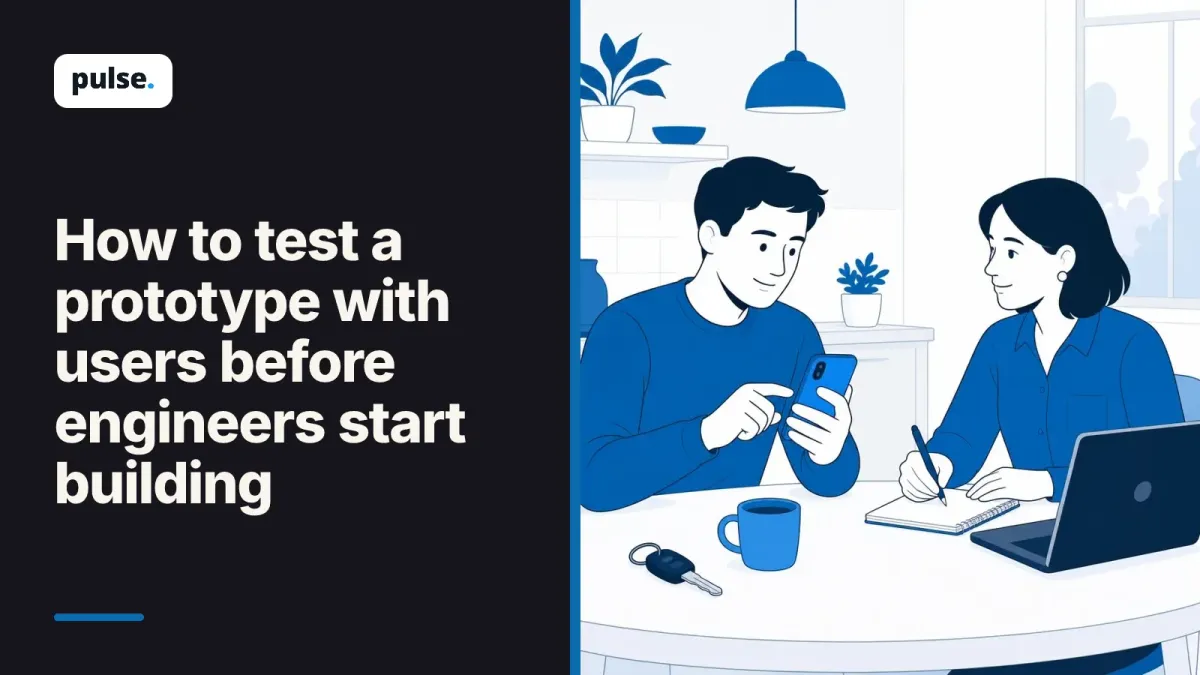
How to test a prototype with users: match the test to the decision, recruit five people, probe past 'looks fine' and decide go, change or stop.
Your team at a car insurance company has a clickable prototype of a new way to report a claim. The engineers want a yes or no before they start building. Everyone in the office says it looks great, but can customers who just had an accident use it?
Getting that answer means testing the prototype with the people who will use it.
To test a prototype with users, decide what the test must answer and show a version finished enough to answer it. Then watch about five real customers try a task, and ask follow-up questions when they say it looks fine.
Each of those steps has a choice in it, and the choices decide whether the result is worth planning around.
A prototype test can answer three different questions, and each one needs a different version of the design. Do people want this? Do they understand it? Can they do it? If you don't pick one first, you get a mix of opinions that answers none of them, and the engineers still have no clear yes or no.
For the claims flow, the three questions look like this:
The first question is about wanting the idea, the second about understanding it and the third about using it.
Then write the decision in one line. For example: "If most people can't find where to add photos of the damage, we change the photo step before we build it." That line reminds the whole team what the test is for.
How finished the prototype looks matters too, because it changes what people react to. Designers call this fidelity, which means how close the prototype is to the real product. A polished screen invites comments on colors and wording, while a rough one keeps people talking about the idea. Each fidelity level can show some things and can't prove others.
| How finished it is | What it looks like | What it can tell you | What it can't show |
|---|---|---|---|
| Paper or sketch | Drawn screens you move by hand | Whether people want the idea and get the steps | Whether they can do it alone on a phone |
| Clickable wireframe | Gray boxes you can tap through | Whether the order of steps and the words make sense | How real content, like photo uploads, behaves |
| Polished clickable prototype | Looks like the real app, fake data | Whether people can finish the task | How it works with real data and real delays |
| Coded prototype | Working code with real data | How the real thing performs | Whether you picked the right idea in the first place |
So match the version to the question. If the claims team still doubts that customers want to report on a phone, a rough sketch answers that faster than a polished prototype would.
The right people matter more than a big group. In his 2012 article on how many test users you need, Jakob Nielsen of Nielsen Norman Group advises testing five users in a qualitative usability study. His reason is that five people find almost as many problems as many more would.
The same article reports that when Nielsen asked 217 attendees of his company's UX Conference, the average team tested 11 people per round, more than twice the size he recommends. His advice for a bigger budget is to spend it on more rounds of testing, not on more people in each round. That fits a prototype well, because you fix what you find and test again.
Five works when the people share the same job to do. If two groups use the flow in different ways, treat them as two tests. For the claims flow, a driver reporting a small dent and a driver reporting a crash with another car face very different screens, so each group gets its own small round.
Recruit real customers, not colleagues. People at your company know the words, the menus and what the team hoped to build, so they get through steps that confuse a customer. Two or three short screening questions are enough to find them, such as "Have you made a car insurance claim in the last two years?"
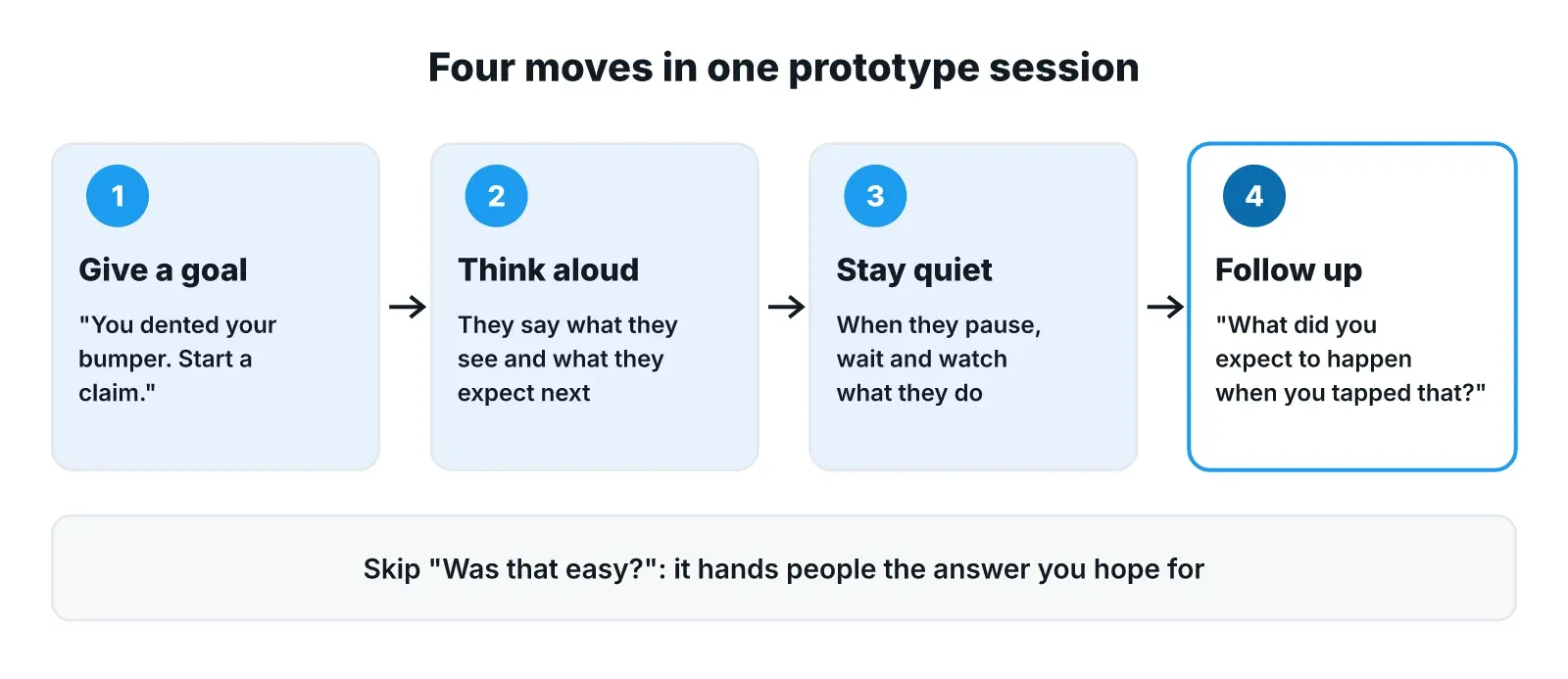
Most prototype sessions go wrong in the same two places: the task gives the answer away, and the person is too polite to say what's wrong. You can fix both before the first session, with a task written as a goal and a few follow-up questions ready for the moment someone says "it looks fine".
A goal sounds like real life: "You backed into a pole in a parking lot and dented your bumper. Start a claim." An instruction names the buttons: "Tap Claims, then tap New claim." The instruction tests whether people can follow orders. The goal tests whether they can find their way.
Ask people to say what they're looking at and what they expect as they go. When they pause, wait. If you jump in to help, you lose the moment you came to see.
Moderated and unmoderated sessions differ in who is there while the person works. In a moderated session, a person or an AI moderator asks questions while the participant works through the task, so you can ask why in the moment. In an unmoderated session, people do the task alone and the screen is recorded. That needs very clear tasks, because nobody is there to explain one. The post on moderated vs. unmoderated research compares the two in more depth.
People are kind to prototypes. It looks unfinished, someone clearly worked hard on it, and nobody wants to be rude. So "looks fine" often means "I don't have a strong opinion yet". These follow-ups work better than asking again:
Avoid questions like "Was that easy?", which hand people the answer you hope for. Watch what they do, too. A pause, a back step or a wrong tap often says more than the verdict at the end. The post on avoiding leading questions and other bias has more examples.
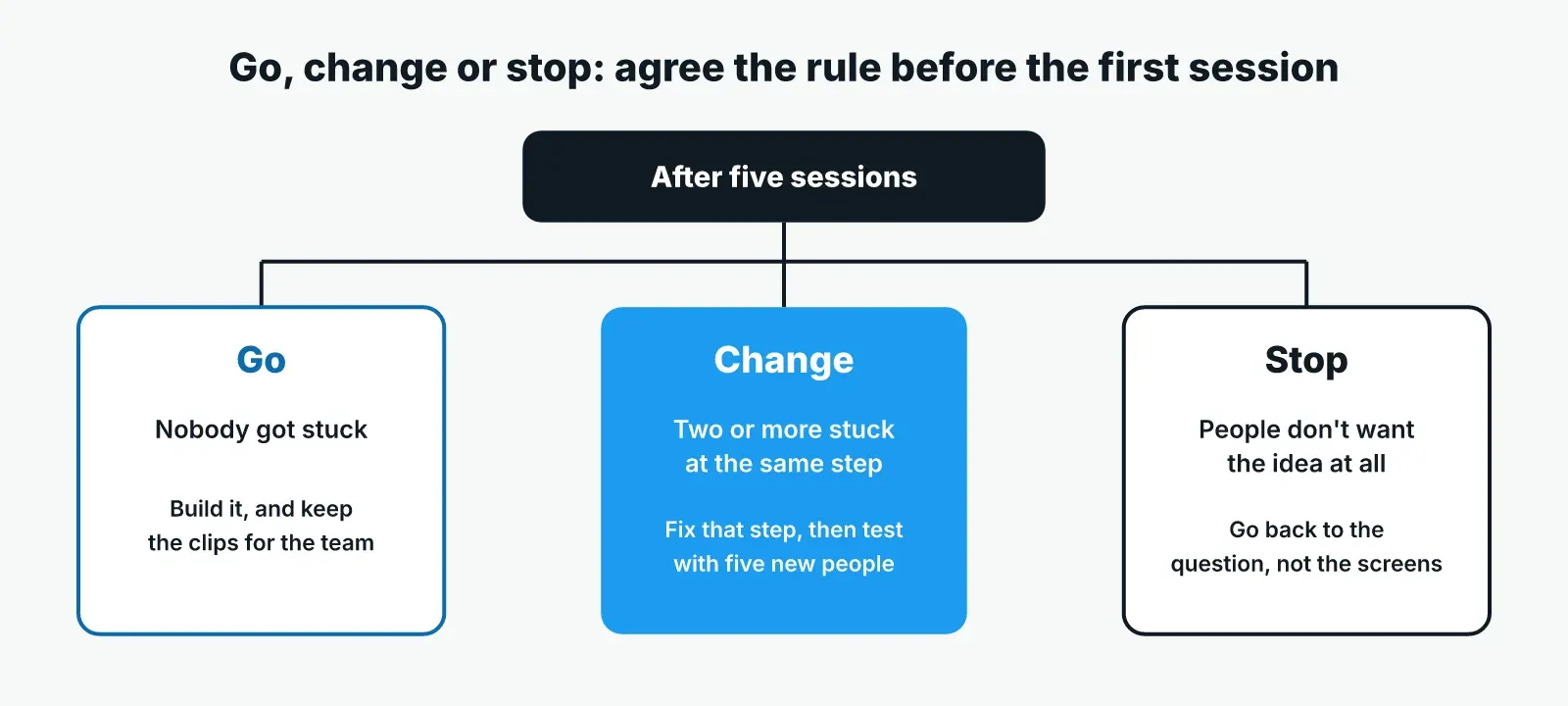
After the sessions, sort what you saw into three groups: things that stopped the task, things that slowed it, and opinions. Then apply the rule you agreed before the test. This ties the decision to what people did in the sessions.
Say the claims team tests the polished prototype with five drivers who made a claim recently. Before the sessions, the team agreed on this rule:
Suppose three of the five drivers can't find where to add photos of the damage, and two ask whether they need the other driver's details right away. Nobody says they'd rather phone. Under the rule, that's a change, and the team knows which step to fix.
Write it up in one page. Put the clip or the quote behind each finding, so the engineers can see the problem for themselves. Then test the changed flow with five new people, because the people from round one already know where the photo button is.
So set your go, change or stop line before anyone sees a result, and retest with new people after every change.
The hard part of testing a prototype with users is often getting enough real customers through a session quickly, with good follow-up questions every time. Pulse runs usability and task-based studies as AI-moderated interviews. People can be shown a design and react to it on screen, and video insights capture on-screen behavior and emotion beside what they say.
The AI moderator asks every person the same questions from one guide. When someone says "looks fine", it asks a second question that builds on what they said earlier. You can invite your own customers from a list or have people recruited to the profile you describe, with fraud checks on every participant. Themes come with the quotes behind them, each traced to its transcript, and the report builds as each interview finishes.
That leaves the design team's time for deciding what to change. To try it on your next design, book a demo, or start with a free trial and a free study.
Test as soon as you have a question a prototype can answer, and again after each change. Early on, a rough sketch can check whether people want the idea. Later, a clickable version checks whether they can finish the task. Testing before engineers start building means a change costs a redraw, not a rebuild.
Yes, if your question is whether people want the idea or understand the steps. Show the sketch, explain the goal and ask what they'd expect to happen next. A sketch can't tell you whether people can finish the task on their own, because someone has to move the screens for them.
That usually points to a wider problem than one screen, such as words customers don't use or a flow that asks for things in the wrong order. Look at what people said at each stuck point for a shared cause. If you can't find one, test a rougher version focused on the order of the steps.
Participant recruitment methods compared by who you need: your own list, panels, referrals, networks and recruiters, plus a check before you set a date.
Semantic vs latent themes, from Braun and Clarke's paper "Using thematic analysis in psychology", shown on real-life quotes, with when to use each.
How to choose a transcription service for research interviews: test each option on your own audio with five simple checks, from accuracy to data safety.