
How to use affinity mapping for user interviews
How to use affinity mapping for user interviews: one idea per note, sort by meaning, count people not notes, and check themes against quotes.
How to set up a customer feedback management process in 5 steps: list sources, share one tag list, name owners, find the why and close the loop.

"What should we fix first?" The head of customer care at the cosmetics brand where you work wants to know. But feedback comes in through reviews, the support inbox, an order survey and notes from store staff. Each team keeps its own spreadsheet. So how do you turn all of it into one answer?
You need a customer feedback management process. That's one shared way to collect, sort and act on feedback, wherever it comes from.
It has five steps. List every source. Agree on one set of tags. Give each theme an owner. Find the reason behind a theme before you act. Then tell customers and leaders what changed. Software can collect and tag, but the process decides who owns what.
So first, look at where feedback gets stuck today.
Customer feedback management means collecting feedback from every channel, analyzing it, acting on it, and reporting back on what changed. Most companies are fine at collecting. The trouble starts after that. It usually breaks in four places.
The first is scattered sources. At the cosmetics brand, reviews sit with the online store team. Support emails sit with customer care. Store notes sit with the shops. So nobody sees the whole picture.
The second is tagging. A tag is a label you give a comment, like "packaging" or "shade". Say customer care files a complaint under "product quality". The online team files the same complaint under "shade". Now the two counts never add up.
The third is ownership. A theme everyone can see but nobody owns stays open. The fourth is silence. Customers who took the time to complain never hear what happened.
Until someone owns a theme, it's just a complaint on a list.
These five steps fix those four problems, in order. You can set them up without new software, because each one is a choice your teams make together. Software helps later, once you know which sources, tags and owners it has to follow.
Feedback comes in two kinds. Solicited feedback is feedback you asked for, like a survey or an interview. Unsolicited feedback arrives without asking, like a review, a support ticket, an in-app message, a social post or a note from a sales call. List each source. Then write down which team reads it, where it's stored and how often someone looks.
Then mark the gaps. At the cosmetics brand, it turns out nobody outside each store reads the store staff notes.
A tag list is the set of labels everyone uses to file feedback. Keep it short, with two levels. The top level is a broad theme, like packaging, shade or delivery. Under it sits a specific issue, like "pump stops working". Many teams also add sentiment, which marks a comment as happy, unhappy or neutral.
Test the list before everyone uses it. Give two people from different teams the same batch of comments, and compare their tags. Where they disagree, the label needs a clearer name. Check the list every quarter, and drop tags nobody uses.
Each broad theme gets one named owner, who decides what happens next. Routing means sending each comment to that owner's team. Urgent problems, like a skin reaction or a billing mistake, go to a team the same day. Everything else waits for a weekly meeting with the owners. Then once a month, leaders see the top themes, what changed and what's still open.
Keep a short list of decisions, so nobody argues the same theme twice.
A rising theme tells you what customers complain about. It rarely tells you why. So before you spend money on a fix, talk to some of the customers behind it. Ask them to walk you through the last time it happened. A survey can then show how common each reason is. This guide on getting the why behind a score goes deeper on this step.
Closing the loop means telling people what you did with their feedback. Tell the customers who raised a theme what changed, even when the answer is no. Report to leaders by theme, owner and status, not by score alone. This post on closing the feedback loop covers the customer side in more detail.
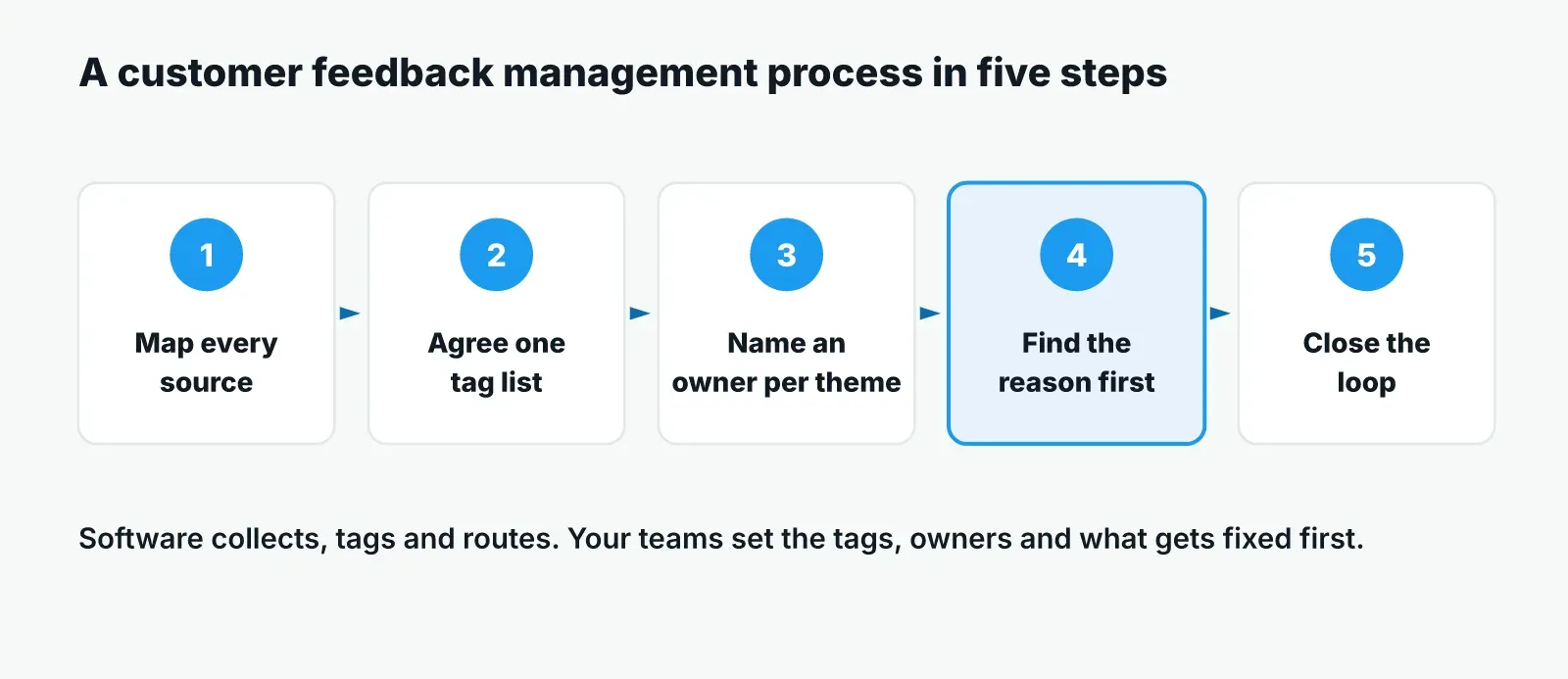
Step 4 is the easiest one to skip. The theme count already looks like an answer. But the count only says what customers dislike. The fix depends on why.
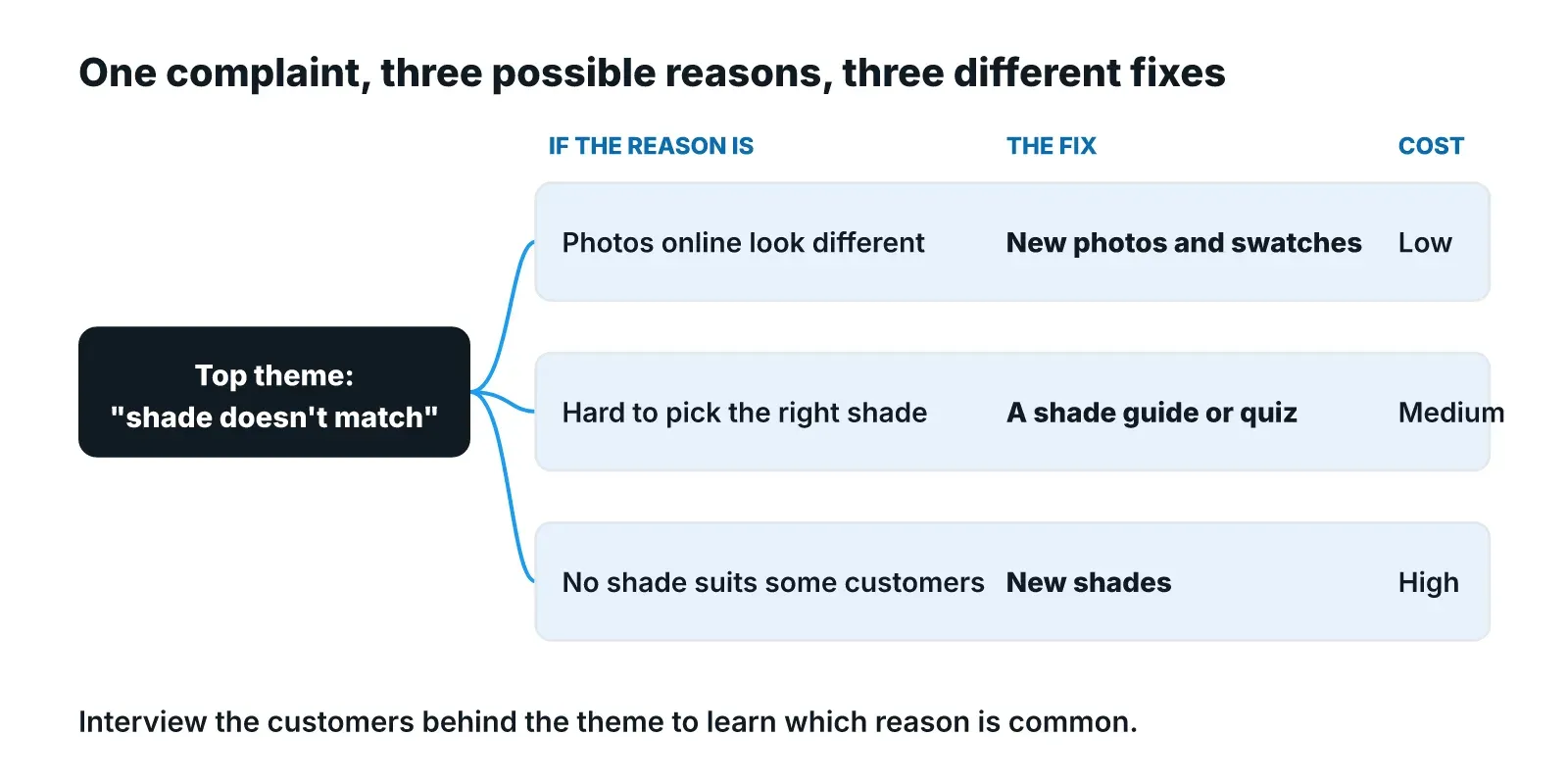
Say "shade doesn't match" becomes the top theme for a foundation range. The company has to decide what to change. There are three likely fixes, and each one fits a different reason.
| If the reason is | The fix would be | What it costs |
|---|---|---|
| The shade photos online look different from the product | New photos and swatches | Low, and quick |
| Customers can't tell which shade to pick | A shade guide or matching quiz | Medium |
| The range has no shade that suits some customers | New shades | High, and slow |
The theme count can't tell these apart, because all three cause the same complaint. So the owner of the shade theme asks for a short round of interviews. They talk to customers who returned a foundation or left a review about shade. Each interview starts from the last purchase: where they bought it, how they picked the shade, and what they saw when they opened it.
The interviews show which reason is common and which is one loud voice. If most people talk about the online photos, the team changes the photos first. If most say no shade suits them, the choice goes to the product team, with the quotes attached. A customer feedback survey that tells you what to fix can then count how many buyers share the main reason.
Customer feedback management software is good at the repeat work. It pulls in feedback from many channels, tags it, scores sentiment and routes it. But it can't choose which tags matter, who owns a theme, or what to fix first. Those choices stay with your teams. This table shows the split.
| Software handles | Your process decides |
|---|---|
| Collecting feedback from many channels | Which sources count, and who reads each |
| Automatic tagging and sentiment scores | The tag list everyone uses |
| Routing comments to a team | Who owns each theme |
| Dashboards and alerts | What gets fixed first |
| Survey sends and reminders | When a theme needs a conversation before a fix |
Before you buy, check three things. The tool should use your tag list. It should route to your named owners. And it should keep every comment linked to the customer and channel it came from. Interviews can sit beside the scores in the same setup, as this page on customer feedback management software shows.
If you have no shared tag list or owners yet, set those up before you buy software. If a theme is rising and you don't know why, talk to the customers behind it before you fix anything.
Step 4 is often where a feedback process slows down. The theme is clear, but the reason isn't. And setting up interviews can take longer than the time until the next review. With Pulse, a study can run overnight. So a theme owner can hear the reason from customers before the next review.
Pulse runs AI-moderated voice interviews with the customers behind a theme. You can invite them from a list you upload, or recruit people who match the profile you describe. The AI moderator asks a second question when an answer is vague. Every theme comes with the quotes behind it, and every quote links to its transcript. So the owner can show leaders the proof.
Surveys can run in the same study, so the reason and how common it is arrive together. To see how a theme owner would run one, book a demo, start on the $0 Explorer plan, or ask for a free study.
Customer feedback management software brings feedback from surveys, reviews, support tickets and social posts into one place. It tags each comment by theme, scores its sentiment and sends it to the right team. Teams that read feedback every day, like customer care and product, use it most. It works best once the tag list and owners are already agreed.
One team should run the process. Often that's customer experience or research. But each theme needs its own owner, in the team that can fix it. Packaging complaints belong with whoever decides packaging. The central team keeps the tag list, runs the reviews and makes sure no theme is left without an owner.
Ask customers who left to talk you through the moment they decided, in an interview. A one-word survey answer like "price" can hide many things. It might be a billing surprise, a cheaper rival, or a product that stopped fitting their needs. A short round of interviews separates them. Ask about the weeks before they left, too, because the first problem is often older than the last one.
CX tools, short for customer experience tools, come in a few kinds. Survey tools ask customers for scores and comments. Review and social tools watch what customers say in public. Support tools hold tickets and chats. Research tools run interviews that explain the reasons behind the numbers.
How to use affinity mapping for user interviews: one idea per note, sort by meaning, count people not notes, and check themes against quotes.
What synthetic data in market research is, how accurate synthetic answers are in published tests, and 7 questions to ask a vendor before you buy.
How to measure brand equity: the four parts to ask about, a price question, the same questions for two rivals, and interviews that explain the score.