Unmoderated clicks vs moderated voice: what usability metrics miss about the WHY
Unmoderated click testing provides quantitative 'what' data, but moderated voice interviews reveal the qualitative 'why' behind user actions. Learn when to use each.
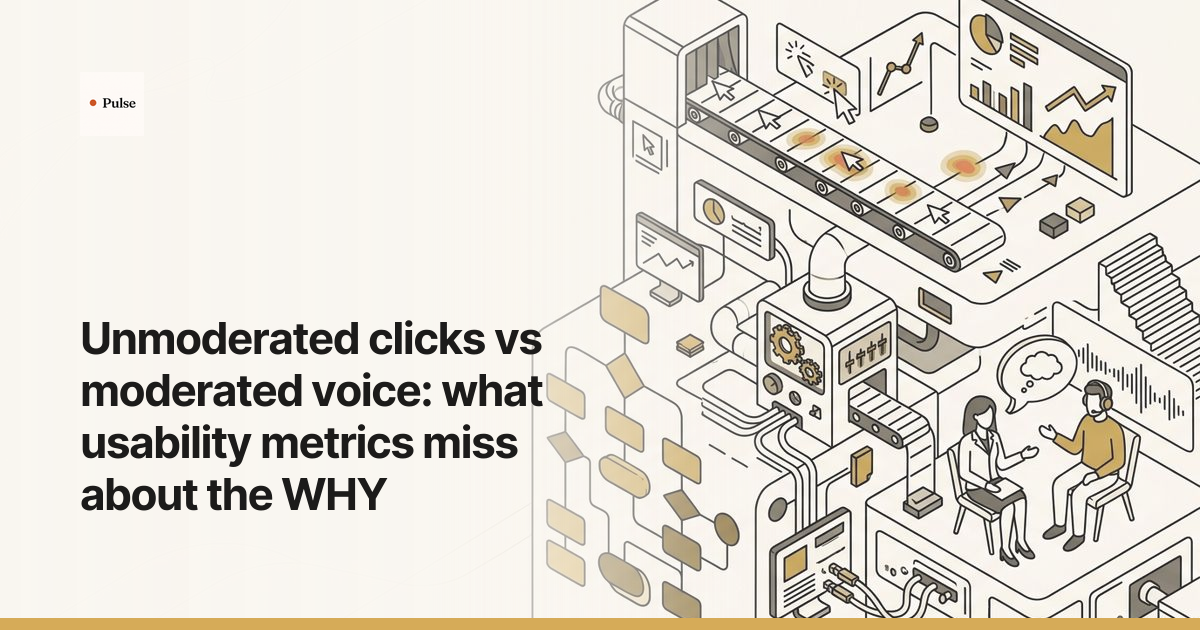
Unmoderated click testing reveals what users do, providing quantitative data on success rates and task times. Moderated voice interviews uncover why they do it, capturing the qualitative context, confusion, and motivation that metrics miss. Relying only on clickstream data can be misleading; the most robust research programs use unmoderated testing to find problem areas and moderated voice to diagnose their root cause.
Clicks vs. Conversation: The Short Answer
Quantitative usability metrics from unmoderated tests show what users are doing, but they cannot explain why. To understand a user's intent, confusion, and context, researchers need moderated voice conversations. These discussions capture the reasoning and perception that click-based metrics alone leave out, turning behavioral data into actionable insight. A low success rate might not be a design flaw, but a result of a confusing task prompt—a distinction only conversation can reveal.

How Unmoderated Click Testing Captures the 'What'
Unmoderated usability testing provides quantitative behavioral data by having users complete tasks on their own, with their screens and clicks recorded for analysis. This method is fast and scalable, making it an excellent tool for gathering hard numbers on user performance. The primary outputs are objective metrics that track what users did and how efficiently they did it.
These core metrics typically include:
- Task Success Rate (TSR): The percentage of users who correctly complete a task. An analysis of over 1,100 usability tasks by MeasuringU established an average TSR of 78%, making it a widely used benchmark to signal potential problems.
- Time on Task (ToT): The time it takes a user to finish a task, which serves as a key measure of efficiency.
- System Usability Scale (SUS): A 10-item questionnaire that yields a single score for perceived usability. Based on data from over 500 studies, the average score is a well-established 68 out of 100.
- Single Ease Question (SEQ): A 7-point rating scale asked after each task to measure its perceived difficulty. Foundational research by Sauro and Dumas in a 2009 CHI paper established the SEQ's reliability, with later large-scale studies finding a strong correlation between SEQ scores and task completion rates.
While powerful for benchmarking and A/B testing, these numbers identify symptoms, not causes. They show you where users are struggling, but leave you to guess why.

How Moderated Voice Uncovers the 'Why'
Moderated research gets to the 'why' by turning a test into a conversation where a user explains their thought process as they perform tasks. In a moderated session, a researcher (or an AI moderator) guides a user through the interface, asking probing follow-up questions in real time. The user is encouraged to think aloud, voicing their expectations, assumptions, and frustrations.
This approach generates rich, qualitative data that explains the numbers. Instead of just a click path, you get direct quotes about why a user hesitated or what they were looking for when they clicked the wrong button. As the Nielsen Norman Group highlights, a live facilitator can adapt the study to explore unexpected issues, yielding significantly more detailed findings than an unmoderated test. This is where you uncover flawed mental models or misunderstood value propositions—insights that clickstream data can never provide.
Where Each Method Wins: A Direct Comparison
Choosing between unmoderated clicks and moderated voice depends entirely on the questions you need to answer. One measures behavior at scale, while the other diagnoses the cause of that behavior with depth.
| Dimension | Unmoderated Click Testing | Moderated Voice Research |
|---|---|---|
| Data Type | Quantitative (clicks, time, rates) | Qualitative (quotes, reasoning, observations) |
| Key Question | What happened? Where did users fail? | Why did it happen? What were they thinking? |
| Best For | Validation, benchmarking, A/B testing | Exploration, diagnosis, concept testing |
| Insight Depth | Shallow behavioral data | Deep attitudinal and cognitive data |
| Unexpected Issues | Poor (only sees failure on pre-defined tasks) | Excellent (users can voice unrelated frustrations) |
| Scale | High (30 to hundreds of users) | Lower (typically 5 to 15 users) |
How to Choose the Right Method for Your Study
The most effective research plans use both methods in sequence, letting the findings from one stage inform the next. This mixed-methods research approach provides a complete picture by connecting broad behavioral patterns to their underlying human causes.
This is the classic trade-off in usability research: the statistical power of click data versus the deep, directional insight from a handful of interviews. But what if you didn't have to choose? Platforms like Pulse are built to solve this problem, using AI to conduct hundreds of moderated-style voice interviews concurrently. This approach captures the nuance and context behind user behavior—the "why"—at a scale that was previously impossible with traditional qualitative methods, turning rich conversations into structured, actionable data.
Use unmoderated click testing when:
- You need to benchmark a design against a previous version or a competitor.
- You have a specific, testable hypothesis (e.g., "This new button will reduce time on task").
- You need to validate a design with a large, statistically significant sample size. For reliable metrics, the Nielsen Norman Group advises a sample size of at least 40 participants.
Use moderated voice research when:
- You are exploring a new problem space and don't yet know what the key tasks are.
- You have quantitative data showing a problem (like a high drop-off rate) but don't understand the cause.
- You are testing complex workflows where context and user expectations are critical.
For example, a team might see a 40% drop-off rate on their checkout page from an unmoderated test (the 'what'). This is an alarming metric, but it offers no solution. By running five moderated interviews, they might learn that users don't recognize the payment processor's logo and are confused about how shipping costs are calculated (the 'why'). The quantitative data flagged the fire; the qualitative data located the fuel.
Frequently Asked Questions
What is a good sample size for moderated usability testing?
For formative, qualitative research where the goal is to discover problems, the long-standing recommendation is 5 to 8 users. As research from the Nielsen Norman Group famously showed, testing with just 5 participants uncovers about 85% of the usability problems in an interface. The goal is to find problems to fix, not to produce a statistical measure.
Can you get qualitative feedback from unmoderated tests?
Yes, you can include open-ended survey questions at the end of an unmoderated test. However, this feedback lacks the depth of a live conversation. You get a user's top-of-mind summary, but you lose the ability to ask follow-up questions or probe into vague statements to uncover the real reasoning behind their actions.
How do you combine findings from both click and voice studies?
The most common approach is an explanatory sequential design. First, run a quantitative unmoderated study to identify what is happening and where the biggest problems are. Then, use those findings to design a qualitative moderated study that explains why those problems are occurring, often by recruiting participants who exhibited the specific behavior you want to understand.
Can AI moderation capture the 'why' as well as a human can?
AI-moderated interviews are highly effective at capturing the 'why' at scale. The AI asks questions consistently, avoids interviewer bias, and can run hundreds of sessions in parallel. This uncovers patterns in user reasoning that would be difficult to spot with smaller-scale human moderation. However, human judgment remains critical for designing the study, interpreting ambiguous or contradictory feedback, and making the final strategic decision.
Stop guessing what your usability metrics mean. If you're ready to move beyond click-through rates and task completion scores to understand the real "why" behind your customers' actions, it's time to see what AI-moderated research can do. Run your first 100 customer interviews and get structured, actionable insights by tomorrow morning. Start your research on Pulse.